
How to Set Up an IT Home Lab for Learning and Practice
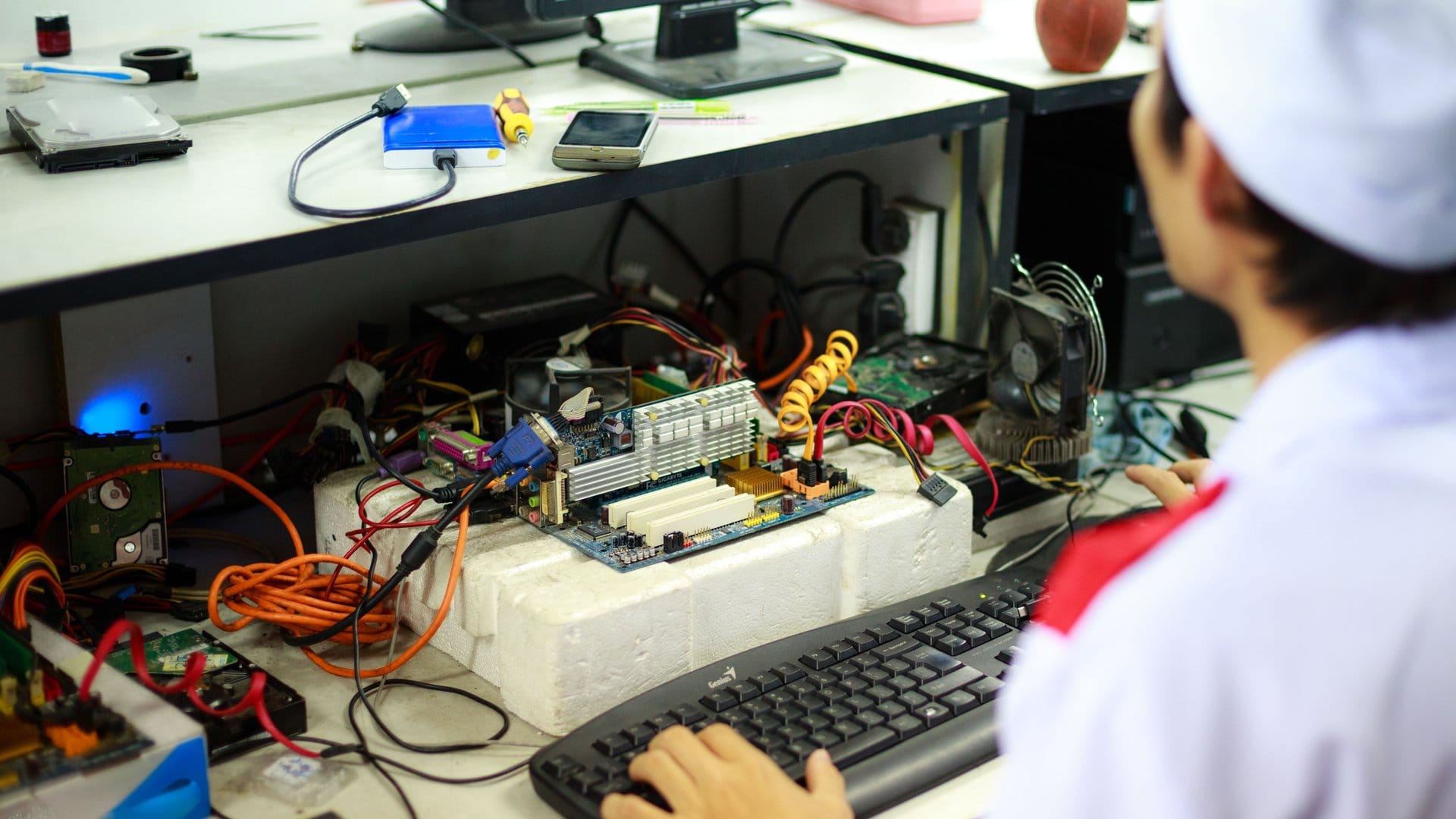
You do not need a server room or a large budget to start learning IT hands-on. A home lab gives you a place to practice configurations, break things safely, and build the skills that employers look for in IT support and infrastructure roles.
Why a Home Lab Matters for IT Learners
If you are studying for CompTIA A+, Network+, or Security+, or preparing for any vendor certification, hands-on practice is the fastest way to make the material stick. Reading about IP subnetting and actually configuring a subnet on a virtual machine are two very different experiences.
The Government of Canada Job Bank shows that IT support technicians and network administrators are among the most consistently in-demand technical roles across the country. These roles require people who have worked with the tools — not people who have only read about them.
A home lab gives you that experience before your first job.
What You Actually Need to Get Started
The barrier to entry is lower than most beginners expect.
A used desktop or laptop with at least 16 GB of RAM is enough to run virtualization software like VirtualBox or VMware Workstation. Both are available free or at low cost. From there, you install virtual machines — isolated operating system environments — and practice inside them without any risk to your main system.
You do not need new hardware. Older machines with modest specs run most of the software you need for CompTIA-level lab work.
If you want to practice networking hands-on, a basic home router and a couple of switches let you build small physical topologies. You can also simulate networks entirely in software using tools like GNS3 or Cisco Packet Tracer, which is free for registered Cisco NetAcad students.
What to Practice in Your Home Lab
Your lab activities should connect directly to what you are studying. If you are working toward your CompTIA A+, practice installing operating systems, managing disk partitions, and troubleshooting hardware errors. If Network+ is your goal, build and configure small networks, set up DHCP, and practice DNS configuration.
The CompTIA certification page outlines the exact domains and objectives for each exam. Use that list to guide what you build and test in your lab.
Three areas worth focusing on early:
- Windows and Linux OS installation and basic configuration
- Networking fundamentals including IP addressing and routing
- Remote access tools and basic security settings
These skills overlap with multiple certifications and with what employers look for in entry-level IT roles.
Connecting Lab Practice to Certification Training
A home lab is a support tool, not a replacement for structured training. Lab work helps you internalize what you learn in a course — it does not replace the instruction, the curriculum, or the exam preparation that a formal training program provides.
If you are ready to pair your lab practice with guided instruction, explore the CompTIA training courses at Ultimate IT Courses. Instructor-led training gives you a structured path, direct access to an experienced instructor, and a timeline that keeps you moving toward your certification goal.
You can also view the networking courses at Ultimate IT Courses if your focus is building foundational network skills before pursuing a vendor certification like CCNA.
Book a training path consultation with Ultimate IT Courses to map out a realistic route from where you are now to your first IT certification.
Making the Most of Your Lab Time
Set up your lab with a purpose. Do not explore aimlessly. Pick one skill area, build a scenario — for example, setting up a DHCP server on a local network — and work through it from start to finish.
Document what you do. Write down the steps, the errors you hit, and how you resolved them. That process builds your troubleshooting instinct and gives you real examples to talk about in a job interview.
Treat each lab session as practice for a specific exam objective or a specific job task. When your practice connects to a real outcome, your time in the lab compounds faster.
Where to Go From Here
A home lab is one of the best investments you can make in your IT career — and it costs far less than most people assume. Start with what you have, focus on one certification at a time, and use structured training to fill in the gaps your lab work surfaces.
If you want help planning which certifications to pursue and in what order, book a training path consultation with Ultimate IT Courses. We work with career starters across Canada to build a practical, step-by-step path toward their first IT role.

