IT Training, Desktop Application Courses
  • Back
  • Course Catalogue
      • Technical IT Training
      • Desktop Applications
      • CyberSecurity Training
      • Custom Group Solution
      Technical IT Training


      VENDORS

      Microsoft

      Cisco

      Amazon

      Red Hat

      CompTIA

      TECHNOLOGIES

      CyberSecurity

      Cloud Computing

      Networking

      Business Analysis

      Programming

      Databases

      Artificial Intelligence

      10% off promo
      Desktop Applications
         

      Microsoft

      • Excel

      • Word

      • Teams

      • PowerPoint

      • Outlook

      Adobe

      • Photoshop
      • Illustrator
      • InDesign
      • Premier Pro
      • Acrobat
      • After Effects
      • LiveCycle Designer

      Other Vendors

      • Kofax

      • WCAG

      • Foxit

      • Programming
      CyberSecurity Training

      Ultimate IT Courses delivers a focused, career-ready cybersecurity program offered exclusively through our Mile2 partnership.

      Designed for both individuals and teams, the program builds practical, job-relevant skills across core security concepts, threat awareness, governance and risk fundamentals, and real-world defensive practices.

      Flexible delivery options make it easy to train remotely or in a live classroom setting, with a consistent learning path that supports confident progress from foundational knowledge to advanced application.

      Learn more>>>

      Custom Group Solution

      Customized Group Training Solutions are built for organizations that want training to match reality—your goals, your technology stack, your timelines, and your team’s current skill levels. Instead of forcing employees into generic public classes, Ultimate IT Courses designs private, instructor-led programs that fit how your business actually operates, with measurable outcomes and scheduling that won’t derail productivity. Learn more >>>

  • About Us
      Based in Ottawa, Ontario, Ultimate IT Courses combines enterprise-level course offerings with the flexibility of a boutique provider.
      Read More
      • About Ultimate IT Courses
      • About Mile2 Canada
      • Course Catalogue
      • Contact us
  • Resources
  • Contact us

Login

Industry NewsMicrosoft

How to prepare for SharePoint’s inevitable shift to the cloud

by info@ultimateitcourses.ca2 minutes read July 7, 2014
  • Share:

In light of the cloud computing era, it’s a surprise that Microsoft SharePoint didn’t make the shift to the cloud sooner rather than later.

Many enterprises are migrating from on-premise solutions to aggregate more information and share that intelligence among employees more easily.

A different manner of working
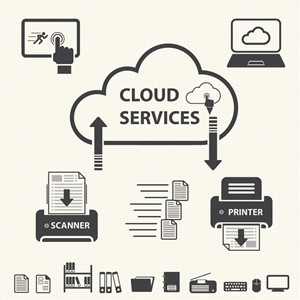
SharePoint is now entering the cloud, requiring administrators to gain new insight regarding management protocols.

It’s only appropriate that one of the most popular collaboration tools is making that transition as well. However, in order to exercise the program for all it’s worth, a number of companies should seriously consider investing in SharePoint certification courses. Why give the software such high priority? E-Commerce Times panel member Dana Gardner noted that sharing and storing data in the cloud is one thing, but running applications on it presents another challenge.

“It’s something quite more complex to bring a process into the cloud, manage the process, and have it extended across the boundaries of the organization,” Gardner asserted, as quoted by the source.

Essentially, the jobs of administrators in charge of directing SharePoint have grown more intricate with the program’s cohesion with cloud technology. IT professionals need to get acclimated to a new way of directing orders and assigning users permission. Before taking these tasks into consideration, it’s important to acknowledge what SharePoint does.

Takes from a SharePoint training class
Whether you’re a manager who wants to know how to better enable the system or an average worker with the desire to learn how to use every function the program, professionals of every proclivity enroll in SharePoint classes. Although they’ve heard of the program, a number of them wouldn’t be able to fully describe what the solution does if they tried.

Stu Crair, a contributor to the Coloradoan, described some of the core features found in SharePoint, asserting that it allows users to:

  • Develop and launch limitless team hubs and sub-sites
  • Create lists consisting of tasks, reviews, contracts, announcements, discussion panels and other things
  • Assign administration roles, which enables select staff members to approve or deny coworkers access
  • Integrate workflow with Microsoft Office applications
  • Fabricate a unique library to organize enterprise files and information, which can be scaled to any size and host numerous data types

Essentially, SharePoint is an enterprise-wide collaboration tool that operates on company-wide networks. For obvious reasons, taking the solution into the cloud is the next logical step.

Challenges with the cloud
The bottom line is that SharePoint wasn’t originally constructed to fit the needs of end users. Christian Buckley, director and chief evangelist at Metalogix Software, partook in E-Commerce Times’ discussion panel regarding SharePoint’s migration to the cloud, asserting that personnel are more concerned with how software can be used in conjunction with day-to-day work flows.

“As you look at those changes to the traditional intranet model, how you approach and develop those solutions, build and maintain an infrastructure, and all the complexity, the difficulty is that end users are ahead of the curve,” said Buckley, as quoted by the source. “They want to have everything in the cloud flexible, dynamic and real time via their phone or their tablet.”

This level of access requires thorough knowledge of SharePoint’s security capabilities. Managing distributed access can be challenging, but attaining a SharePoint certification will allow administrators to effectively monitor all activity.


Tags: cloud server sharepoint
  • Share:
Previous
Microsoft Dynamics gets slick new upgrades
2 minutes read
Next
Dynamics CRM: A viable option for government?
2 minutes read
info@ultimateitcourses.ca
subscriber

You May Also Like

  • Why are big data courses worthy investments?
    Why are big data courses worthy investments?
    3 minutes read
  • Does knowledge of Azure pay well?
    Does knowledge of Azure pay well?
    2 minutes read
  • The big data developments for Microsoft Azure
    2 minutes read
  • The ways industry cloud services are changing
    2 minutes read

Got Questions? Talk to us

Name(Required)
This field is hidden when viewing the form

Share this

Recent Posts

  • Practical IT Certification Paths You Can Start This Week
  • Unlocking Opportunities: The Power of Microsoft Certifications
  • Embracing the Power of Cloud Technologies: A Deep Dive
  • Microsoft Azure Training: A Crucial Investment for Cloud Computing Professionals
  • Why you should care about cybersecurity?

Let's Achieve Together

Welcome to our diverse and dynamic course catalogue.

loader
About Ultimate IT Courses

Based in Ottawa, Ontario, Ultimate IT Courses combines enterprise-level course offerings with the flexibility of a boutique provider. Read more…

Facebook-f Linkedin
Courses
  • Course Catalogue
  • Certifications
  • Training Resources
Useful Links
  • Terms and conditions
  • Privacy Policy
  • Refund Policy
Contact Us
  • (613) 416-8898
  • info@ultimateitcourses.ca
  • 451-207 Bank Street Ottawa, ON K2P 2N2 Canada
  • Copyright © 2026 Mile2 Canada. All Rights Reserved.
HomeSearchAccount
  • English